📹 A9 Mini WiFi Security Camera | 1080P HD Night Vision Wireless Home Camera (2-Pack)
2set white
$35.99
Sale price
$35.99
Regular price
$25.39
Skip to product information


📹 A9 Mini WiFi Security Camera | 1080P HD Night Vision Wireless Home Camera (2-Pack)
$35.99
Sale price
$35.99
Regular price
$25.39
Protect What Matters Most
Keep an eye on your home, office, pets, or loved ones anytime with the A9 Mini WiFi Security Camera. This compact camera delivers crystal-clear 1080P HD video, night vision, and wireless monitoring right from your smartphone.
Features
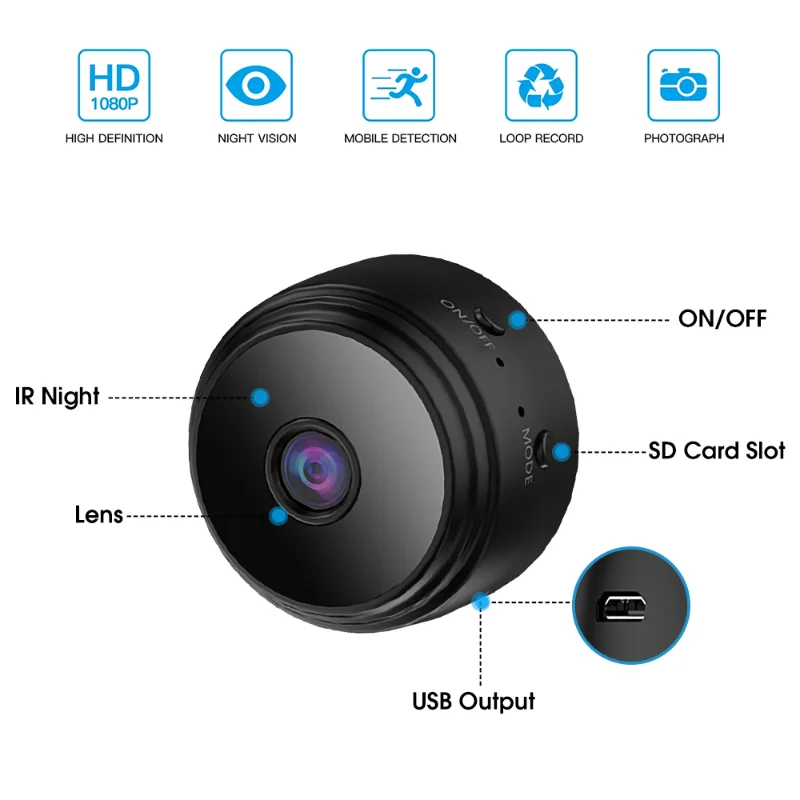
📹 1080P Full HD Video
🌙 Night Vision
📱 WiFi Remote Viewing
🎥 Motion Detection
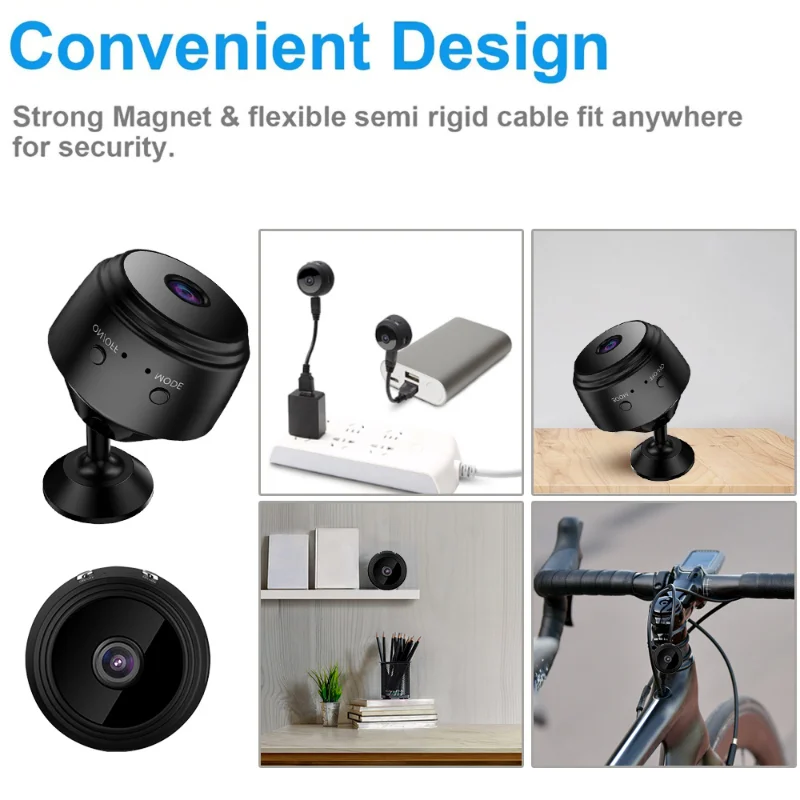
🏠 Perfect for Home & Office
🐶 Great for Pet Monitoring
🔋 Compact & Portable Design
SPECIFICATIONS
Alarm Type: telefon Alarm
Audio Output: 1CH BNC
Brand Name: BAPPSUS
Certification: NONE
Choice: yes
Color: black
Connectivity: IP/Network Wireless
High Definition: 1080P(Full-HD)
High-concerned chemical: None
Installation: Normal
Internal Storage: None
Lens (mm): 2MM
Lens Quantity: Dual Lens
Megapixels: 2 MP
Model Number: A9
Origin: Mainland China
Power Supply: Normal
Sensor: CMOS
Smart home platform: NONE
Style: Dome Camera
Supported Mobile Systems: Android,iOS
Supported Operating Systems: No
TF Card: 128G TF Card
Video Compression Format: H.264
Zoom: NONE
Zoom type: None
semi_Choice: yes
Specification:
1.Material: ABS
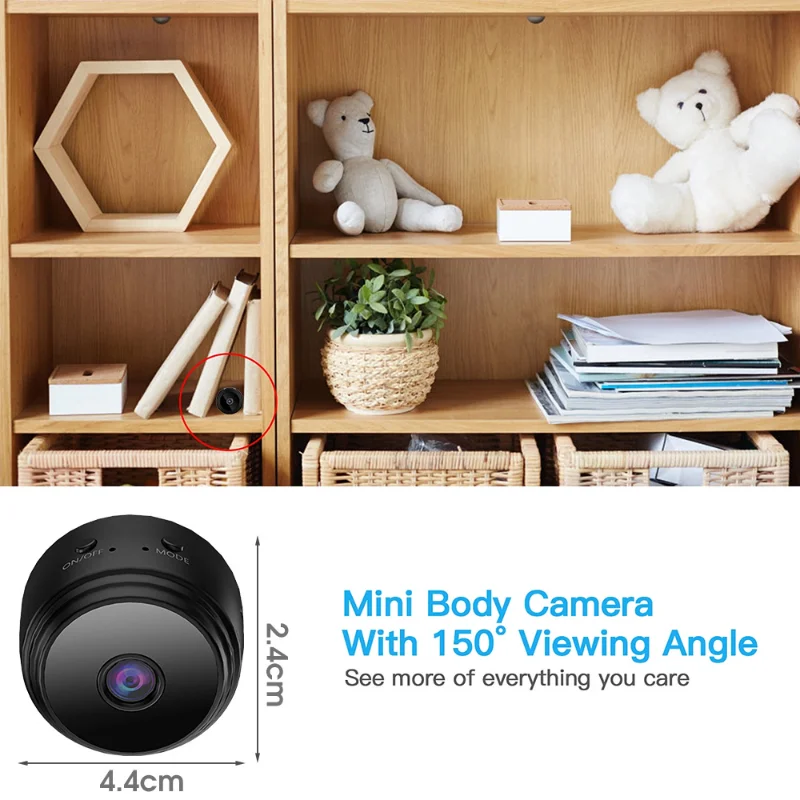
2Size: camera diameter about 4.4cm, height about 2.4cm, bracket diameter about 3.1cm, height about 3.9cm
3.Color: Black
4.Clarity: 1080P
5.Video format: AVI
6.Memory card type: support TF card, up to 128GB (TF not included)
7.Compression format: H.264
8.APP support: Android/iOS
9.Camera view: 60 ° wide angle
10.Battery operating time: 30 minutes
11.Battery type: lithium battery
12.Battery capacity: 150mAh
Description:
How to use
1.Press the on/off button for about 3 seconds to turn on the camera.
2.Find and connect to the camera's WIFI hotspot in your phone's WLAN settings, or scan the camera's QR code and connect to your home 2.4GHz wireless network in the app settings-WiFi configuration
3.1080P for a clearer experience, this wireless webcam allows you to see what's going on in your home or office in real time.
1.Material: ABS
2Size: camera diameter about 4.4cm, height about 2.4cm, bracket diameter about 3.1cm, height about 3.9cm
3.Color: Black
4.Clarity: 1080P
5.Video format: AVI
6.Memory card type: support TF card, up to 128GB (TF not included)
7.Compression format: H.264
8.APP support: Android/iOS
9.Camera view: 60 ° wide angle
10.Battery operating time: 30 minutes
11.Battery type: lithium battery
12.Battery capacity: 150mAh
Description:
How to use
1.Press the on/off button for about 3 seconds to turn on the camera.
2.Find and connect to the camera's WIFI hotspot in your phone's WLAN settings, or scan the camera's QR code and connect to your home 2.4GHz wireless network in the app settings-WiFi configuration
3.1080P for a clearer experience, this wireless webcam allows you to see what's going on in your home or office in real time.